

In exploring the Automatic Play features and custom configurations in the eye of horus slot deposit and withdrawal game, we can enhance our game session remarkably. This functionality allows us to customize gameplay to our liking, whether we want to establish limits on spins or set stop conditions based on wins or defeats. But how do these choices truly impact our strategy and enjoyment? Let’s discover the benefits and details that can elevate our play.
Key Points
- The Eye of Horus slot allows players to set specific limits on spins for a personalized autoplay experience.
- Autoplay can be time-saving by allowing multiple spins without constant clicking.
- Players can establish stop conditions based on victories or defeats for better control.
- Personalized button settings allow users to control play according to their individual preferences.
- The autoplay feature improves ease and maintains the game experience engaging and dynamic.
Understanding the Eye of Horus Slot
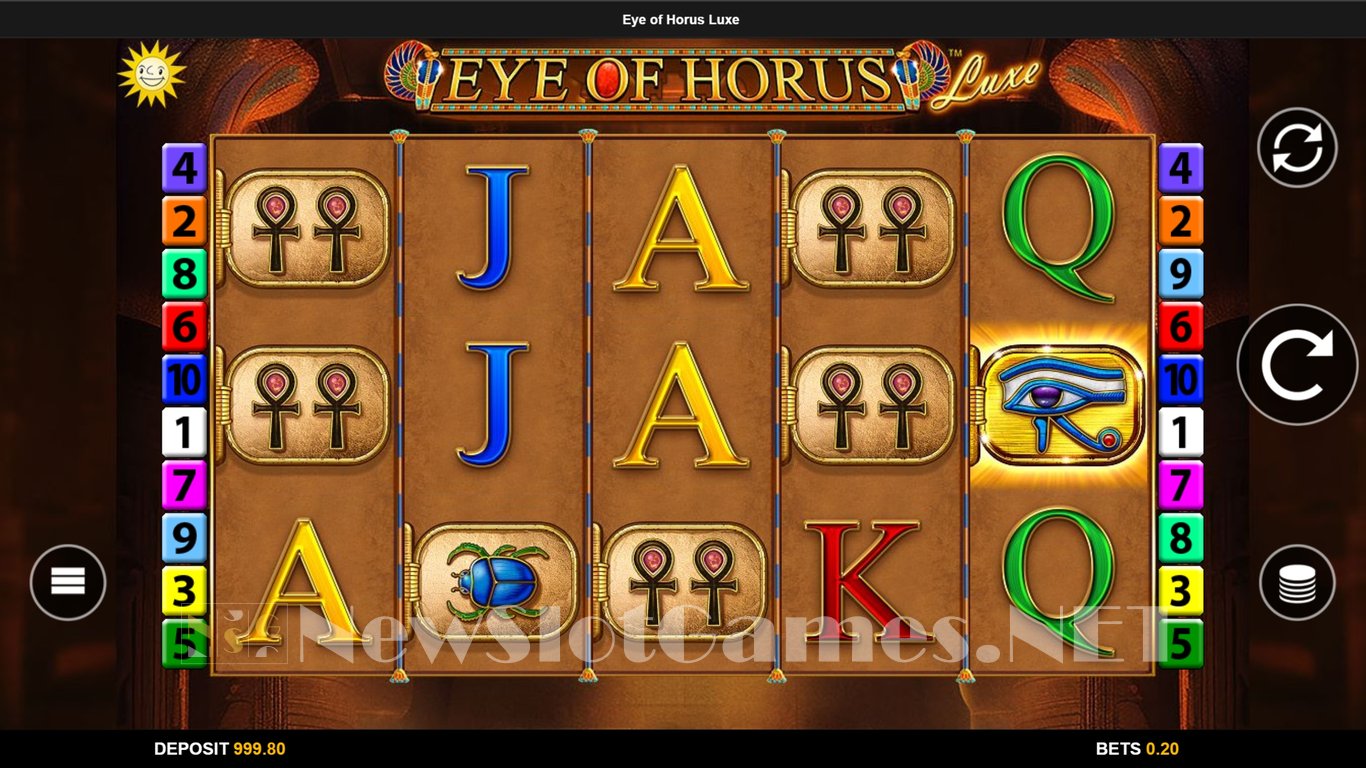
The Eye of Horus slot engages us in ancient Egypt mythology, showcasing symbols that bring the rich heritage to existence. As we spin the reels, we meet the iconic Eye of Horus symbol, scarabs, and other vivid icons that form an captivating environment. The gameplay mechanics are crafted to be interesting and simple, allowing it easy for both new players and seasoned gamblers to appreciate. With 5 reels and multiple ways to succeed, we can’t help but get excited about the potential prizes. Plus, unique features like wild icons and free spins improve our game experience. In summary, this slot cleverly combines ancient mythology with remarkable gameplay mechanics, offering a thrilling adventure as we seek riches in old territories.
What Is Autoplay and How Does It Work?
Autoplay is a convenient feature that lets us sit back and watch the game play out on its own. We can adjust several settings, like the number of spins and our loss limits, to suit our preferences. This way, we stay engaged without constantly pressing buttons.
Autoplay Functionality Explained
How does the autoplay feature boost our gaming experience in the Eye of Horus slot? This functionality eases our gameplay by allowing the reels to spin on their own for a set number of rounds. We can create an autoplay strategy that fits our preferences, customizing spins based on our preferred slot timing and risk levels.
Customization Options Available
One of the standout features of the Eye of Horus slot is its customization options for the autoplay function, making gameplay more personalized. We can modify autoplay settings to match our player preferences, which truly enhances the gaming experience. For instance, we can choose the number of spins or set win and loss limits, ensuring we stay in control while savoring our sessions. These customization benefits not only address our specific style of play but also allow us to interact with the game more meaningfully. By aligning the autoplay feature with our own strategies, we can focus on what matters most—having fun while spinning the reels without the hassle of manual intervention.
Benefits of Using Autoplay in Eye of Horus
When we use the autoplay feature in Eye of Horus, we activate an elevated gaming experience that draws us deeper into the action. This feature saves us time, allowing us to experience more spins without constantly pressing buttons. Let’s examine how these benefits can enhance our gameplay!
Enhanced Gaming Experience
Autoplay features in the Eye of Horus slot can significantly enhance our gaming experience, making every spin feel smooth and enjoyable. By employing Autoplay, we can truly immerse ourselves in the game, resulting in improved engagement and overall user satisfaction. We can set our chosen number of spins, allowing the action to unfold without break, which means we’re free to focus on the thrill of the game. This feature also lets us enjoy the impressive graphics and enthralling sound effects without the interference of manual spinning. Additionally, Autoplay keeps the momentum going, making our gaming sessions feel more energetic and exciting. Overall, utilizing this feature boosts our enjoyment and keeps us coming back for more.
Time-Saving Convenience
While enjoying the Eye of Horus slot, we can easily recognize how the Autoplay feature saves us valuable time during gameplay. This option boosts our time efficiency, allowing us to spin the reels without pause. It’s perfect for those moments when we want to unwind and let the game play itself, aligning with our player preference for convenience. With adjustable settings, we can select the number of spins and even set loss or win limits, tailoring our experience to fit our needs. By using Autoplay, we increase our playing time while minimizing the hassle of constant button pressing. Ultimately, it’s a wise way to enjoy the excitement of Eye of Horus while efficiently managing our time.
Custom Settings for Autoplay Features
As we dive into the Eye of Horus slot’s autoplay features, we find that tweaking our settings can greatly enhance our gaming experience. With various options, we can adapt the autoplay to match our player preferences. One of the key benefits is the ability to set custom button configurations, allowing us to control how many spins we want to play automatically and under what conditions the autoplay feature should stop. Whether we prefer to halt when a win occurs or simply after a set number of spins, these settings empower us to play according to our individual styles. Embracing these custom settings not only provides convenience but also makes our gameplay more fun and aligned with our unique gaming approach.
Tips for Responsible Gaming With Autoplay
To ensure we enjoy the Eye of Horus slot responsibly while using autoplay, it’s essential to establish clear limits before we start playing. Responsible budgeting is important; we should decide in advance how much money we’re willing to spend. This helps us avoid overspending and keeps our gaming experience enjoyable.
Next, let’s set limits on both time and money. We can choose a playing duration or an amount to wager per session. Sticking to these boundaries ensures we’re keeping our gaming in check.
Lastly, let’s remember to take breaks. If we feel any frustration or stress, it’s best to step away. Keeping these tips in mind will help us maintain a healthy gaming experience with autoplay features.
How to Adjust Autoplay Settings in the Game
Adjusting the autoplay settings in the Eye of Horus slot is a straightforward process that enhances our gaming experience. We can tailor our autoplay configuration to better fit our playing style through a few easy steps. Here’s how:
- Access Autoplay Menu
With these changes, we take control of our gaming session, making it more enjoyable and customized. Have fun spinning!
Maximizing Your Gaming Experience With Autoplay Options
Taking advantage of the autoplay options can truly enhance our experience in the Eye of Horus slot. By applying effective autoplay strategies, we can adapt our gameplay to match our gaming likes. Whether we want to spin at a steady pace or go for a more exciting, faster approach, the choice is ours. We should think about setting limits on the number of spins or our overall expenditure, ensuring a equitable and pleasant experience. Plus, we can take breaks between rounds, allowing us to maintain focus and avoid fatigue. By harmonizing our autoplay settings with our desired pace, we increase our chances of uncovering hidden treasures while enjoying every moment of the game. Let’s start this adventurous journey together!
Conclusion
To sum up, the Eye of Horus slot’s Autoplay feature together with customizable settings truly improves our gaming experience. By allowing us to set our chosen parameters, we can have seamless gameplay while keeping our time and budget in control. Whether we’re seeking wins or controlling losses, this feature keeps the fun alive. So, let’s take full advantage of these options and make our time with the Eye of Horus both exhilarating and prudent!